Decoding WordPress's index.php: A Beginner’s Guide to the Core Template
When you first dive into WordPress theme development, the WordPress index.php code often feels like a black box. It sits at the heart of every theme, acting as a catch‑all template that ensures content always displays, even when no more specific template exists. Understanding how it works—its structure, its role in the template hierarchy, and how you can tweak it—lets you create cleaner, more maintainable themes.
The Role of index.php in a WordPress Theme
In WordPress’s template hierarchy, the index.php file is the ultimate fallback. When a request can’t be satisfied by a more specific file—say, single.php for a blog post or archive.php for a category—the engine hands the request to index.php. Because of this, a theme can technically function with only an index.php, though most designers add additional templates to sharpen the user experience.
Anatomy of a Basic index.php File
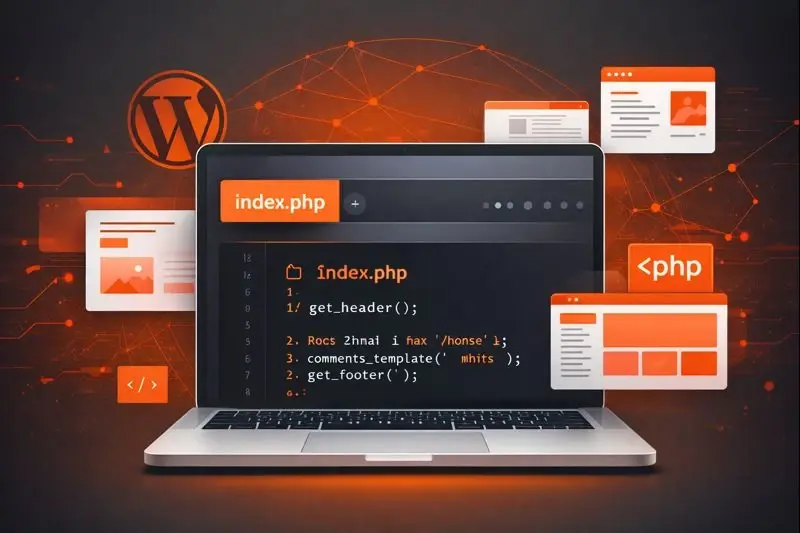
A minimalist index.php looks like this:
<?php get_header(); ?><?php if ( have_posts() ) : while ( have_posts() ) : the_post(); ?>
<article>
<h2><?php the_title(); ?></h2>
<div class="content"><?php the_content(); ?></div>
</article>
<?php endwhile; else: ?>
<p>No posts found.</p>
<?php endif; ?>
<?php get_footer(); ?>
The code is intentionally straightforward: a header, a loop, and a footer. Behind the scenes, WordPress orchestrates the Loop, template tags, and template hierarchy rules to turn raw database rows into rich HTML.
Hooking into the Loop: How index.php Drives Content Display
WordPress’s core loop is the engine that retrieves posts from the database and renders them. In index.php, the loop is typically written as:
if ( have_posts() ) : while ( have_posts() ) : the_post();// template tags here
endwhile;
else :
// no content fallback
endif;
Each have_posts() call checks for remaining posts; the_post() sets up the global $post object, making functions like the_title() and the_content() work. Because index.php often serves as the default, it’s a good place to test the loop’s behavior before moving logic into specialized templates.
Customizing index.php for Your Site’s Needs
While the default template works for many blogs, most sites require a more tailored front page. Here are common tweaks:
- Front‑Page Display: Add
is_front_page()checks to show a welcome section or featured slider. - Pagination: Insert
previous_posts_link()andnext_posts_link()or a numeric pager to split archives. - Sidebar Integration: Wrap the loop in
get_sidebar()for widget support. - Custom Queries: Use
WP_Queryinside the loop to fetch related posts or a specific category. - Conditional Templates: Leverage
get_template_part()to keep markup modular.
These adjustments keep index.php lean while delegating heavy logic to separate files.
Common Pitfalls and Debugging Tips
- Missing
get_header()orget_footer(): Without them, the page misses navigation and scripts. - Unbalanced Loops: Forgetting
endwhileorendifbreaks rendering. - Global Variable Conflicts: When using custom queries, reset the post data with
wp_reset_postdata(). - Overriding the Loop: If you add a custom query before the main loop, call
wp_reset_query()afterward. - File Naming Errors: WordPress is case‑sensitive on Unix servers—ensure
index.phpis lowercase.
Enabling debugging (WP_DEBUG = true) in wp-config.php surfaces PHP warnings that often point to these issues.
When to Use index.php vs. Other Template Files
Use index.php as a safety net:
- When you only need a single template for a simple site.
- During rapid prototyping before creating dedicated files.
- For static pages that don’t require a specific layout.
Prefer specialized templates when:
- You need distinct layouts for posts, pages, archives, or custom post types.
- SEO or performance dictates a minimal, clean structure.
- Your theme aims for modularity and maintainability.
Quick Reference: Key Functions and Variables
| Function | Purpose |
|---|---|
get_header() | Includes header.php |
get_footer() | Includes footer.php |
get_sidebar() | Includes sidebar.php |
the_post() | Sets up post data for template tags |
the_title() | Displays the post title |
the_content() | Displays the post content |
have_posts() | Checks for remaining posts in loop |
WP_Query | Creates custom queries |
wp_reset_postdata() | Resets main query after custom loop |
Familiarity with these functions turns the index.php from a generic placeholder into a powerful tool for precise content control.
FAQs
What happens if I delete index.php? WordPress will use index.php from the parent theme or the default theme, potentially breaking custom layout.
Can I leave only index.php and still use plugins? Yes; plugins hook into actions and filters independent of the template file, but you’ll lose granular page layout control.
Is index.php required in every theme? Technically yes; WordPress will look for it as a last resort, though modern frameworks often provide a base template instead.
How do I add a custom query to index.php? Wrap the query in