From Lines to Surfaces: A Practical Guide to 1‑D and 2‑D Thinking
When we talk about space, we often imagine three dimensions—height, width, depth. But the simplest forms of space, the ones we use every day in math, art, and engineering, are one‑dimensional (1‑D) and two‑dimensional (2‑D). Understanding 1‑D and 2‑D is more than a classroom exercise; it’s a lens through which we can simplify problems, visualize data, and design products. In this guide we’ll break down the core ideas, show real‑world applications, and give you tools to spot these dimensions wherever they appear.
Understanding 1‑D and 2‑D: The Basics
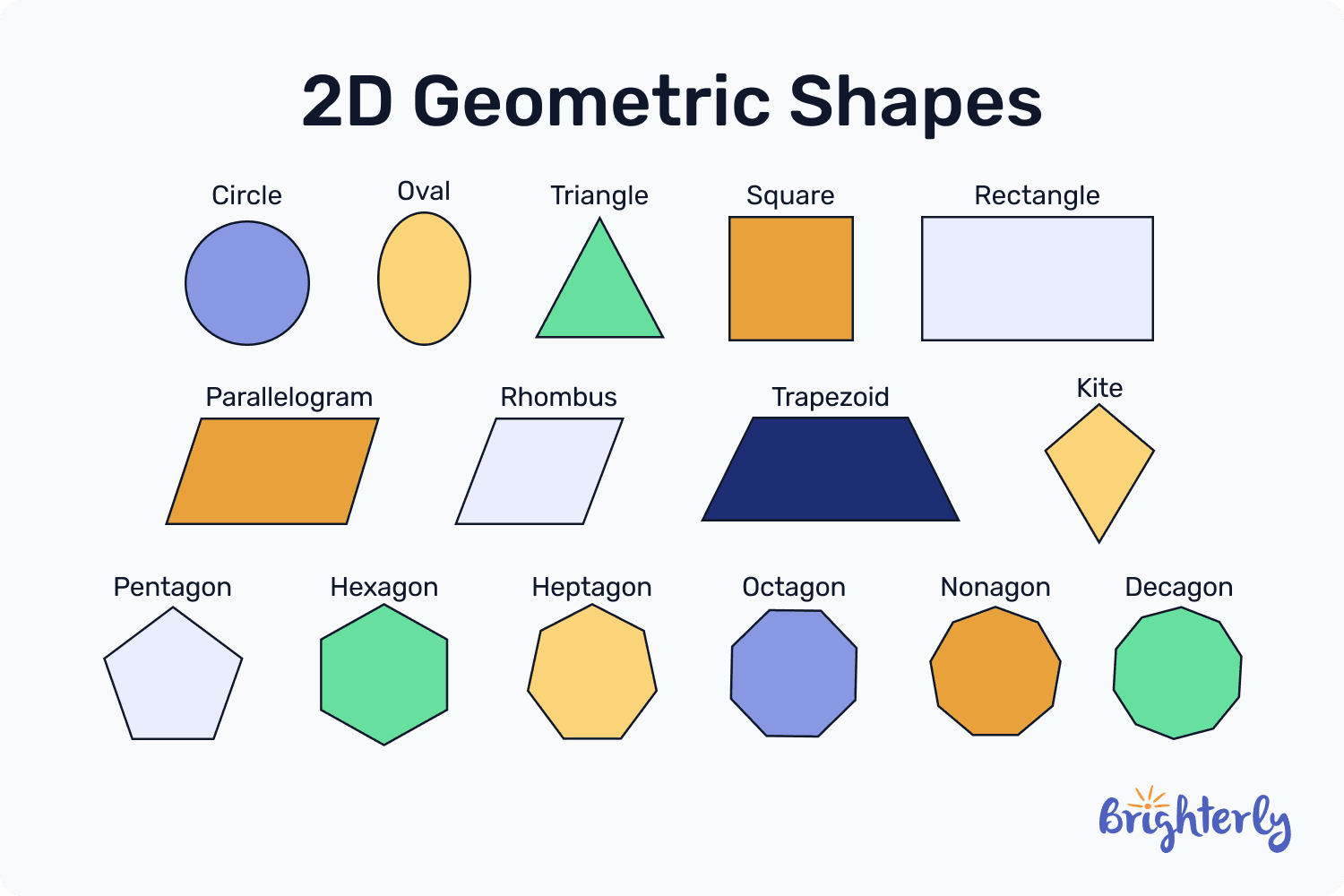
Think of a line segment on a ruler: it only has length. That’s a classic 1‑D object. Add width and you get a square or a rectangle—now you’re working in 2‑D. These definitions aren’t just academic; they affect how we measure, compute, and manipulate objects.
What Makes a Dimension Count?
Dimensions describe how many independent directions you can move in without changing the object’s identity.
- 1‑D: One degree of freedom—moving left or right. The entire shape can be described by a single coordinate.
- 2‑D: Two degrees of freedom—moving horizontally and vertically. Each point requires an x and a y coordinate.
When you add a third dimension—depth—you get the world of 3‑D objects like cubes or spheres, each needing x, y, and z coordinates.
Visualizing 1‑D and 2‑D with Everyday Objects
Here are a few quick associations:
- 1‑D: A string, a road, a timeline. You can only stretch or contract it along a single axis.
- 2‑D: A sheet of paper, a photograph, a chessboard. You can move freely across two axes but nothing goes above or below the surface.
Notice how the “surface” of a 2‑D object is itself a flat plane—no matter how large, it never curves into a third dimension.
Why 1‑D and 2‑D Matter in Everyday Life
From navigation to video games, these dimensions underpin many tools you use daily.
Navigation and Mapping
Maps are 2‑D representations of 3‑D terrain. GPS routes are often simplified to 1‑D lines on a map, but the underlying calculation happens in 3‑D. Understanding the 2‑D projection helps designers reduce distortion and improve readability.
Graphic Design and User Interfaces
Web pages and mobile screens rely on 2‑D layouts. Designers use grid systems to align text, images, and buttons in rows and columns, ensuring a clean, intuitive interface.
Data Visualization
Line graphs are 1‑D visualizations of time series; scatter plots and bar charts are 2‑D displays of relationships. Knowing the dimensionality of your data informs the best chart type to use.
Engineering and Architecture
Blueprints are 2‑D drawings that engineers use to construct 3‑D buildings. Even mechanical parts are often designed in 2‑D CAD before being fabricated into physical components.
Tools and Techniques for Working with 1‑D and 2‑D
Once you’ve grasped the theory, applying it efficiently requires some practical habits.
Coordinate Systems and Axes
Always start by labeling your axes. In 1‑D, a single axis is enough; in 2‑D, choose x and y with clear units. This simple step eliminates confusion when converting between real‑world measurements and digital representations.
Graph Paper and Grids
Using graph paper or digital grid overlays helps maintain consistent scaling. It’s especially useful when drafting 2‑D shapes or plotting functions.
Vector Notation
Vectors are the language of dimensions. In 1‑D, a vector is just a scalar value; in 2‑D, it’s a pair (x, y). Writing equations in vector form clarifies operations like addition, scaling, and dot products.
Software Shortcuts
- Python: Use NumPy arrays to represent 1‑D vectors (1‑D arrays) and 2‑D matrices (2‑D arrays). Operations like
np.dothandle dot products automatically. - Sketching Apps: Tools like Adobe Illustrator or Inkscape let you lock axes, snap to grids, and create precise 2‑D shapes.
- CAD Packages: Free options like FreeCAD or Fusion 360 offer 2‑D drafting before moving to 3‑D modeling.
Common Mistakes to Avoid
- Mixing Units: Always keep units consistent. Mixing inches and centimeters on the same axis leads to errors.
- Forgetting Constraints: In 2‑D drawings, remember that objects can’t “escape” the plane unless explicitly