How a Daily Sales Summary Sheet Supercharges Your Business
When you glance at the bottom line each evening, the numbers you see should tell a story—not a mystery. A well‑crafted daily sales summary sheet turns raw transactions into clear insight, letting you spot trends, adjust tactics, and keep cash flow healthy. In this guide we’ll walk through the essential components, design tricks, and workflow tips that turn a simple spreadsheet into a strategic powerhouse.
Why a Daily Sales Summary Sheet Matters
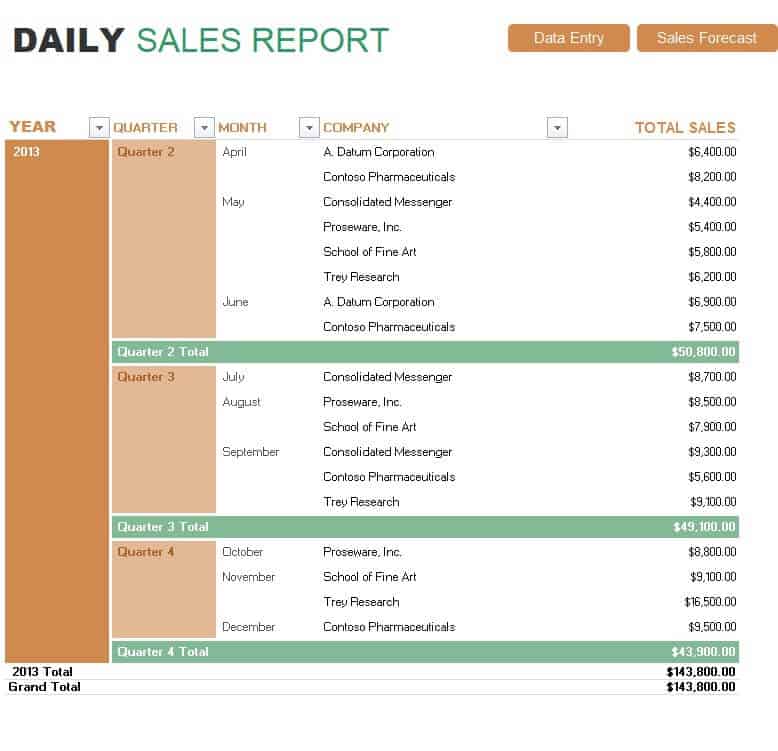
Most businesses collect sales data, but few translate it into actionable intelligence on a daily basis. By summarizing every transaction in a single, easy‑to‑read sheet, you gain three immediate advantages: faster decision‑making, early detection of anomalies, and a solid foundation for longer‑term forecasting. The habit of reviewing the sheet each night also reinforces accountability across the sales team.
Key Elements to Include
A daily summary doesn’t have to be a massive ledger. Focus on the fields that drive insight, and keep the layout uncluttered.
Date and Time Stamps
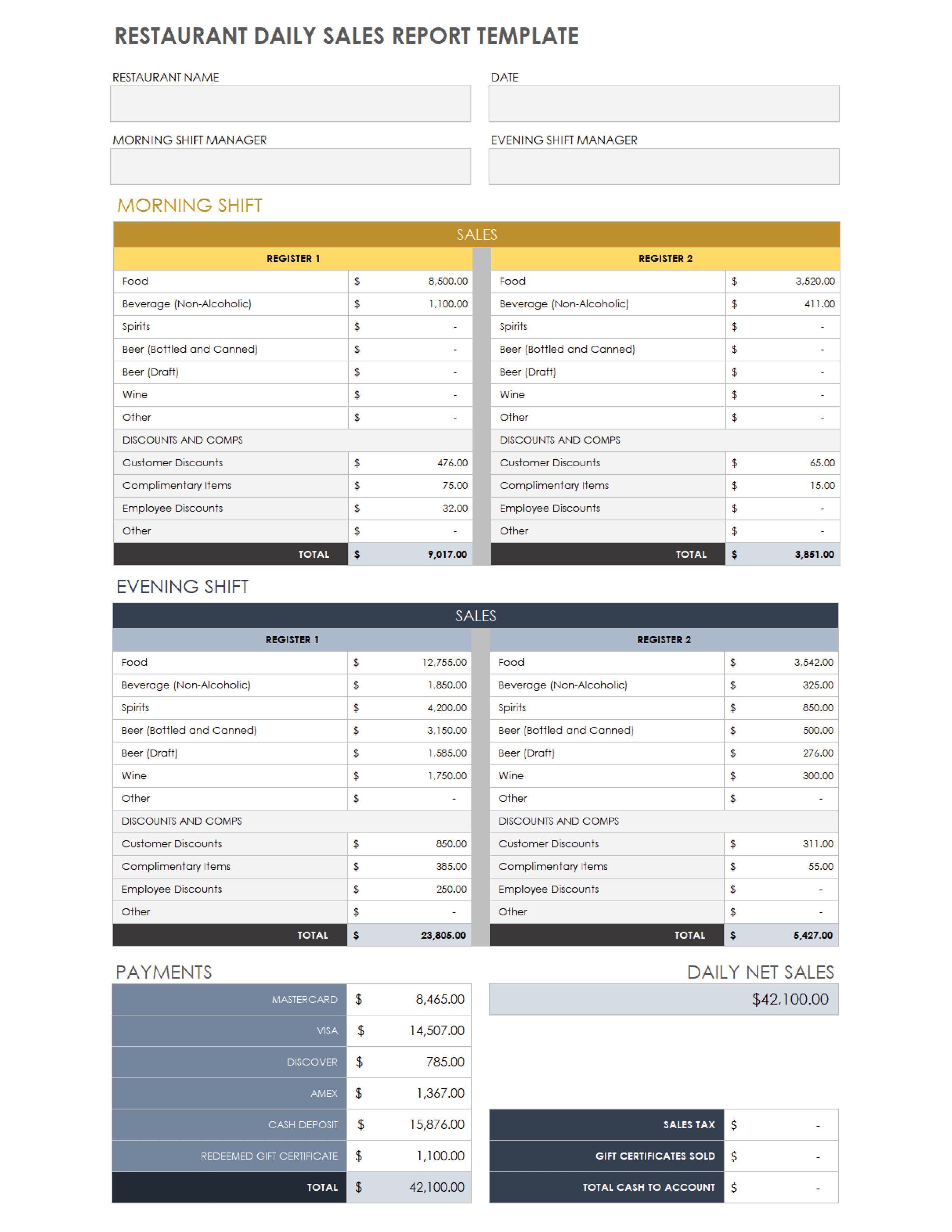
Record the exact date and, if your volume warrants it, the shift or hour. This granularity makes it possible to compare weekday versus weekend performance and to pinpoint bottlenecks during specific periods.
Product or Service Breakdown
List each SKU, service package, or revenue stream on its own line. Grouping similar items together (e.g., “Premium Plans” vs. “Basic Plans”) helps you see which categories are gaining traction and which need a promotional push.
Revenue and Quantity Columns
Two columns are essential: units sold and total sales value. Multiplying the two gives you average price, which can uncover discount abuse or pricing opportunities without digging into the full transaction log.
Notes and Exceptions
Leave a narrow column for comments—cancellations, returns, or one‑off deals. Over time these notes become a goldmine for understanding why a day deviated from the norm.
Design Tips for Maximum Usability
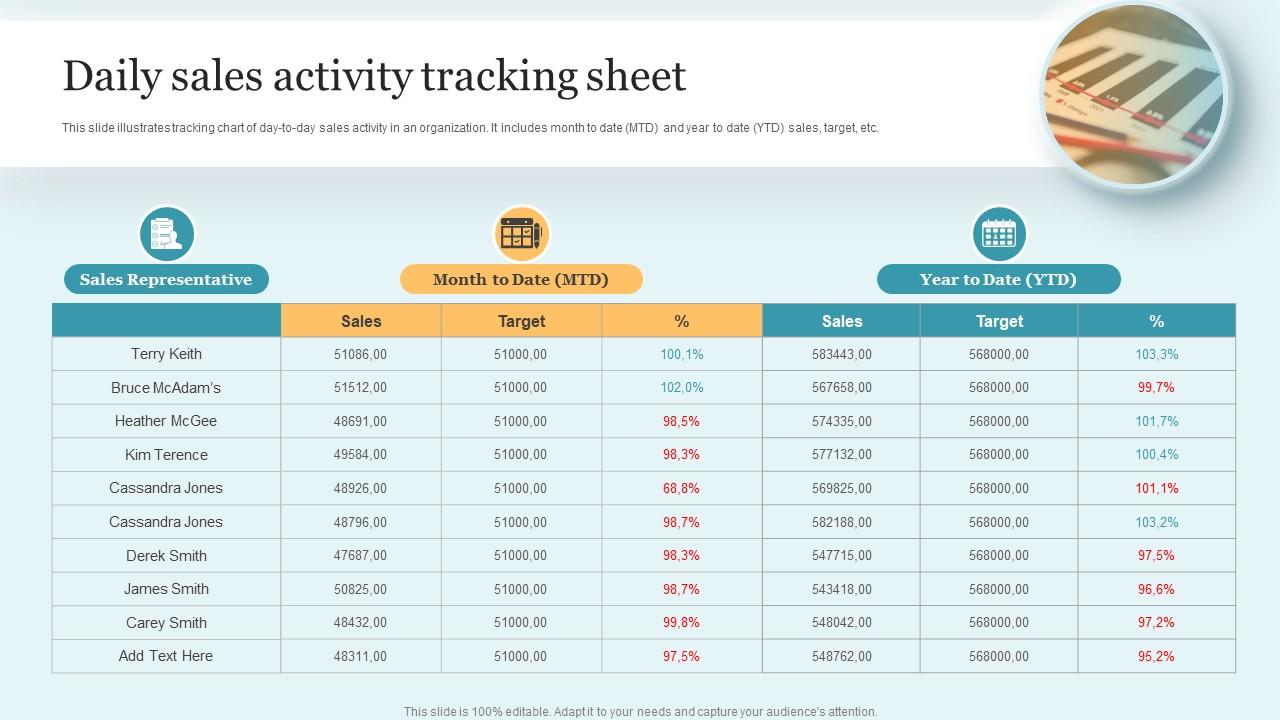
- Keep it visual. Use conditional formatting to highlight days that exceed or fall short of your target revenue.
- Limit the width. A sheet that fits on one screen reduces scrolling fatigue and encourages daily review.
- Use dropdowns. Standardize product names and sales channels with data validation lists to avoid typos.
- Lock the header row. Freezing the top row ensures column titles stay visible as you scroll through rows of data.
Integrating the Sheet Into Your Workflow
Building the sheet is only half the battle; you need a routine that makes it part of everyday operations. Assign a single person—often the sales manager or office admin—to pull the day’s raw data from the POS system, paste it into the template, and add any notes before the close of business. A quick 5‑minute stand‑up meeting where the team reviews the completed sheet can spark ideas for tomorrow’s tactics.
Common Pitfalls and How to Avoid Them
Over‑complicating the layout. Adding too many columns (e.g., customer age, shipping method) can drown the core metrics. Stick to the essentials and create separate reports for deeper analysis.
Manual entry errors. Even a small typo can throw off totals. Where possible, automate the import from your sales platform, or at least use copy‑paste with validation rules.
Neglecting the “why”. Numbers alone tell you what happened, not why. The notes column is your safety valve; encourage staff to jot down any unusual circumstances right away.
Turning Data Into Action
Once you have a week’s worth of daily summaries, start looking for patterns. Do certain products spike on Fridays? Is there a dip after a promotional email? Use these observations to tweak inventory, adjust staffing, or launch targeted marketing campaigns. The daily sheet becomes a living dashboard that feeds directly into your strategic planning sessions.
FAQ
What’s the difference between a daily sales summary and a monthly report?
A daily summary captures short‑term fluctuations and lets you act quickly, while a monthly report aggregates those daily snapshots to reveal broader trends and seasonality.
Can I use Google Sheets instead of Excel?
Absolutely. Google Sheets offers real‑time collaboration, which is handy if multiple team members need to input data from different locations.
How often should I review the sheet with my team?
A brief end‑of‑day huddle works for most small businesses; larger teams might schedule a weekly deep‑dive to connect the daily data with longer‑term goals.