How Frontend and Backend Apps Work Together: A Complete Guide
When you open a web page, you’re seeing the result of two distinct worlds colliding: the visual, interactive layer you click on, and the hidden engine that processes data, enforces rules, and talks to databases. Those are the frontend and backend applications, respectively. Grasping how they complement each other is essential whether you’re a budding developer, a product manager, or just a tech‑curious reader. In the next several minutes, we’ll demystify each side, explore their common tools, and highlight the best practices that keep modern apps fast, secure, and maintainable.
Understanding Frontend and Backend Applications
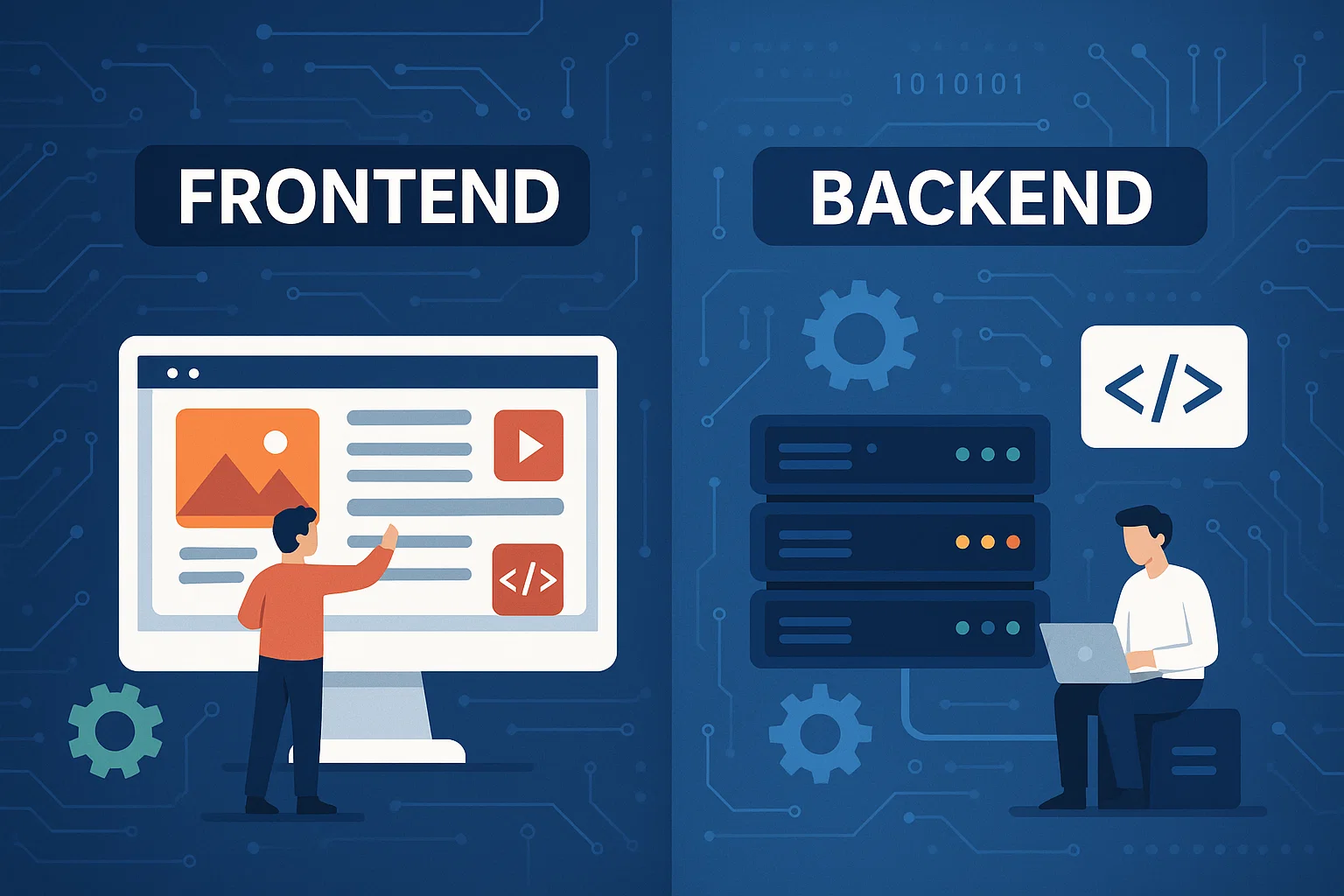
The term “frontend” usually refers to everything that runs in the user’s browser: HTML markup, CSS styling, and JavaScript logic. The “backend” lives on a server (or a cluster of servers) and handles business logic, data persistence, authentication, and API endpoints. Though they sound like separate silos, the two are constantly exchanging information—most often through HTTP requests that carry JSON payloads.
The Frontend Landscape
At its core, the frontend is about user experience. Modern frameworks such as React, Vue, and Angular let developers compose reusable components that respond instantly to user input. Key technologies include:
- HTML5 for semantic structure.
- CSS3 (or preprocessors like SASS) for layout, animations, and responsive design.
- JavaScript (or TypeScript) for interactivity, state management, and API calls.
- Build tools like Webpack, Vite, or Parcel that bundle assets for optimal delivery.
Performance matters a lot on this side. Techniques such as code splitting, lazy loading, and image optimization can shave seconds off page load times, directly influencing bounce rates and SEO rankings.
The Backend Fundamentals
The backend is the workhorse that stores data, applies business rules, and ensures everything runs smoothly behind the scenes. Popular languages and runtimes include Node.js, Python (Django or Flask), Ruby on Rails, Java (Spring), and Go. Typical responsibilities are:
- Authenticating users and managing sessions or tokens.
- Interacting with databases—SQL (PostgreSQL, MySQL) or NoSQL (MongoDB, Redis).
- Exposing RESTful or GraphQL APIs that the frontend can consume.
- Handling background jobs, email notifications, and file storage.
Security is a non‑negotiable concern here. Proper input validation, rate limiting, and encryption of sensitive data protect both the application and its users.
How Frontend and Backend Applications Communicate
Most modern apps rely on an API layer to bridge the gap. When a user clicks “Submit,” the frontend sends a POST request to an endpoint like /api/orders. The backend validates the payload, writes the order to a database, and returns a JSON response indicating success or failure. This request‑response cycle repeats for everything from fetching a product list to updating a user profile.
Beyond simple HTTP, real‑time features (chat, live dashboards) often use WebSockets or Server‑Sent Events, keeping a persistent channel open so the server can push updates without the client repeatedly polling.
Choosing the Right Architecture
Two common patterns dominate today’s landscape:
- Monolithic architecture—all frontend and backend code lives in a single codebase. Simpler to start, but can become unwieldy as the app grows.
- Microservices or “API‑first” architecture—the backend is split into independent services, each exposing its own API. Frontends (web, mobile) consume these services, gaining flexibility at the cost of added operational complexity.
When deciding, consider team size, deployment frequency, and how often you anticipate scaling particular components. A small startup might stay monolithic for a year or two, then gradually extract services as demand spikes.
Performance and Security Considerations
On the frontend, critical rendering path optimizations—like minimizing render‑blocking resources—can dramatically improve perceived speed. Meanwhile, backend performance hinges on efficient database queries, caching layers (Redis, Memcached), and horizontal scaling behind a load balancer.
Security overlaps both domains. Content Security Policy (CSP) headers protect the browser from malicious scripts, while the backend should enforce HTTPS, implement proper CORS settings, and adopt rate‑limiting middleware to fend off abuse.
Best Practices for Building Cohesive Apps
Here are a few habits that keep the frontend‑backend relationship smooth:
- Versioned APIs: Increment API versions when making breaking changes, allowing older frontends to continue functioning.
- Consistent Data Contracts: Use OpenAPI/Swagger or GraphQL schemas to define exactly what data looks like, reducing mismatches.
- Shared Types: If you’re using TypeScript on the frontend, generate type definitions from your backend models to avoid duplication.
- Automated Testing: Unit tests for individual functions, integration tests for API endpoints, and end‑to‑end tests (Cypress, Playwright) that simulate real user journeys.
- Observability: Centralized logging, metrics, and tracing help pinpoint latency bottlenecks across the stack.
Adopting these practices early prevents technical debt from snowballing as the product scales.
FAQ
What’s the difference between a REST API and GraphQL?
REST exposes fixed endpoints (e.g., /users, /orders) that return predetermined data structures, while GraphQL lets the client request exactly the fields it needs in a single query. GraphQL reduces over‑fetching but adds complexity to server implementation.
Do I need a separate backend for a static website?
Not always. Static sites can rely on third‑party services like Netlify Functions or Firebase to handle form submissions, authentication, or small data stores, eliminating the need for a full‑blown backend.
How can I ensure my frontend stays in sync with backend changes?
Automate contract testing—tools like Pact or Postman can validate that the API responses match the expectations encoded in the frontend code. Pair that with continuous integration pipelines that run these checks on every pull request.
Is TypeScript worth using on both sides?
For many teams, yes. TypeScript provides static typing that catches errors early, and sharing type definitions between frontend and backend reduces duplication and keeps data models consistent.


/)