How Monte Carlo Simulations Can Revolutionize Project Planning
In today’s fast‑moving business world, project managers constantly juggle uncertainties—from scope creep to shifting stakeholder expectations. Traditional risk analysis often relies on static probability charts or simple worst‑case scenarios, which can leave teams blindsided by hidden variables. That’s where Monte Carlo simulation steps in: a powerful, data‑driven technique that turns chaotic uncertainties into quantifiable probabilities, letting you see the full spectrum of potential outcomes rather than a single “best guess.”
What Is a Monte Carlo Simulation?
Named after the city famous for its casinos, this method uses random sampling to model complex systems. In practice, you input a range of possible values for key variables—such as task durations, resource costs, or risk event probabilities—and the simulation runs thousands of iterations. Each run picks a random value within those ranges, builds an entire project timeline, and records the result. The output is a probability distribution that shows how often each outcome occurs, offering a clear view of risks and opportunities.
Why Project Managers Love It
- Realistic Forecasting: Instead of a single optimistic date, you get a range with confidence intervals.
- Risk Quantification: Pinpoint which uncertainties have the biggest impact on schedule or budget.
- Scenario Planning: Explore “what if” questions—what if a key vendor delays, or what if the team’s productivity dips?
- Stakeholder Communication: Visual charts and probability bars help non‑technical sponsors grasp risk without jargon.
Getting Started: Core Steps
1. Define Your Variables
Identify every input that could swing the project: task durations, resource availability, cost rates, external constraints, and even political factors. For each, decide on a distribution type—often triangular (minimum–most‑likely–maximum) or normal (bell‑curve) works well.
2. Build the Model
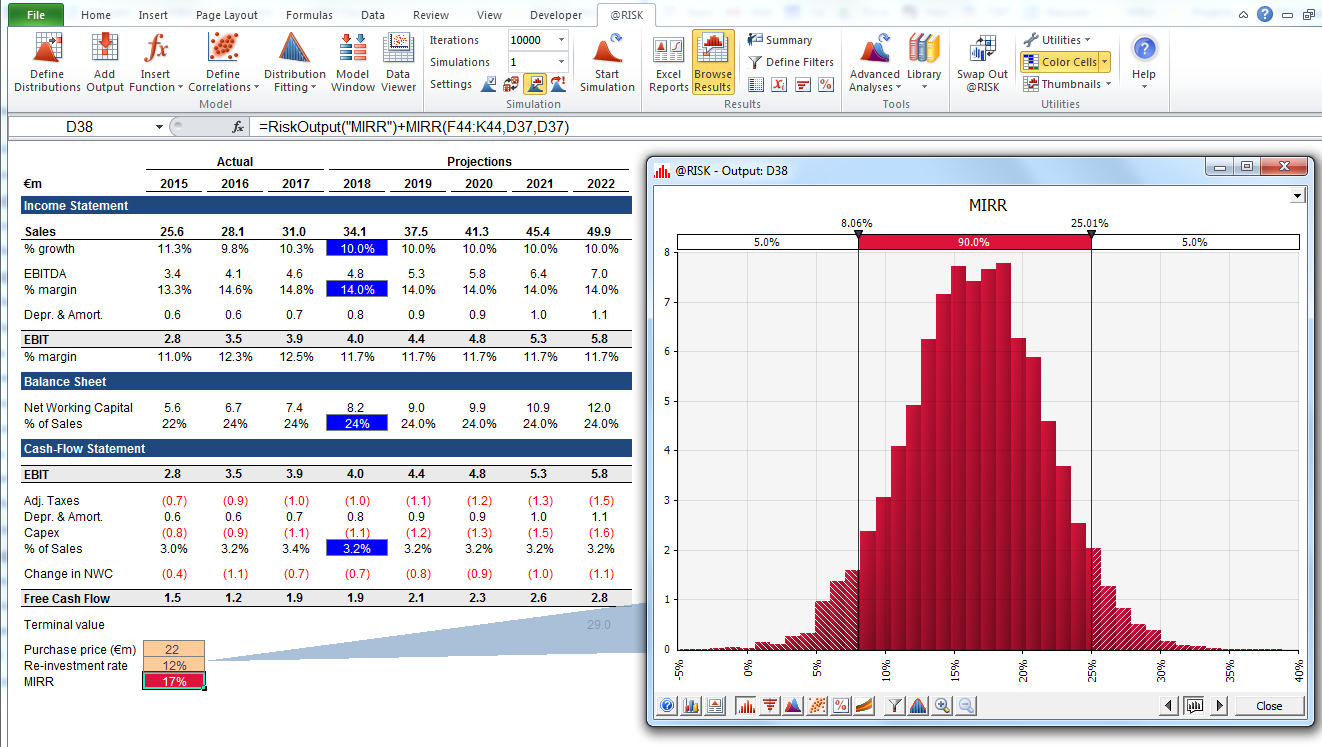
Use a spreadsheet or specialized software like @Risk, Primavera Risk Analysis, or even open‑source tools like OpenTrack. Map out your project network, linking tasks and dependencies. Then attach your defined variables to the appropriate nodes.
3. Run the Simulation
Set a run count—5,000 to 10,000 iterations is typical for stable results. The software will generate a distribution of total project duration, cost, or any metric you’ve chosen.
4. Interpret the Output
Key metrics to look at:
- Mean: Average expected value.
- Median: 50th percentile; often a more realistic target than the mean.
- Percentiles: For instance, the 80th percentile tells you the duration you’re 80% confident the project will finish by.
- Risk Exposure: The probability of overrunning a budget or deadline.
Case in Point: A Construction Project
Imagine a 12‑month building project. Traditional scheduling says the finish date is July 2026, based on fixed task durations. A Monte Carlo simulation reveals that while the median finish date is still July, there’s a 30% chance of pushing to September and a 5% chance of finishing by March—information that can trigger early contingency planning or resource reallocation.
Common Pitfalls to Avoid
- Over‑Simplifying Variables: Using single values for highly variable tasks dilutes the power of the simulation.
- Ignoring Correlations: If two tasks share a resource, their durations are likely correlated. Failing to model this can underestimate risk.
- Misreading Percentiles: Treating the mean as the “best” estimate can mislead stakeholders into underestimating uncertainty.
- Over‑Reliance on Software: The model is only as good as the data. Regularly validate inputs against historical performance.
Integrating with Agile Frameworks
Agile teams can use Monte Carlo to predict release windows. By sampling story point estimates and velocity distributions, the simulation can forecast the likelihood of completing a set of features within a sprint or iteration. This granular insight supports sprint planning and helps product owners set realistic release dates.
Future Trends
Artificial intelligence is increasingly paired with Monte Carlo to refine variable distributions automatically from project data. Cloud‑based simulation platforms allow distributed teams to run complex models without heavy infrastructure. As data quality improves, the accuracy of risk projections continues to climb.
FAQ
- What software do I need for Monte Carlo simulations? Popular options include @Risk, Primavera Risk Analysis, Palisade’s Monte Carlo, and free tools like OpenTrack. Many project management suites also have built‑in risk modules.
- How many simulation runs are enough? A general rule is 5,000–10,000