How to Access Sky News on Android: Your Step‑by‑Step Guide
If you’re looking for a reliable way to keep up with breaking stories, the Sky News app for Android offers a comprehensive suite of news, live TV, and on‑demand content right on your phone. With a clean interface and customizable options, Sky News on Android lets you tailor the experience to your interests and schedule.
Download and Install Sky News on Android
Start by opening the Google Play Store and searching for “Sky News.” The app is free to download, though certain live TV features may require a Sky TV or Sky Go subscription. Once the download finishes, tap Open to launch the app. If you see a prompt to sign in, you can skip it for now and explore the free content before deciding on a subscription.
Navigating the Sky News App
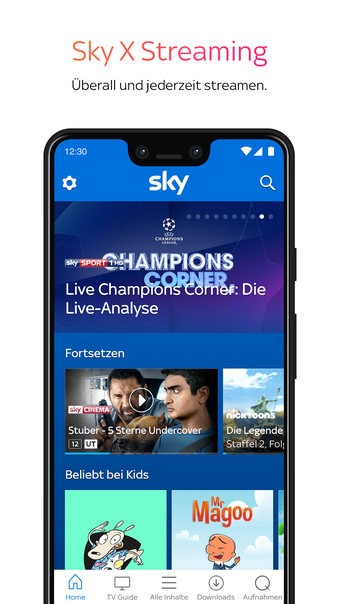
The main screen is divided into three primary tabs at the bottom: Home, Live, and My Stuff. The Home tab displays the latest headlines and feature stories. Swipe left or right to move between news categories such as UK, World, Business, Tech, and Entertainment.
Each story tile opens a detailed article page. Tap the heart icon to bookmark, or the share button to post the link on social media. The bottom right corner of each article gives quick access to comments and related stories.
Customizing Your Feed
- Subscribing to Topics: In the Home tab, tap the three‑dot menu and choose Subscriptions. From there, you can add specific topics—like Coronavirus or Climate Change—to see related stories in the feed.
- Saving Articles: Use the bookmark icon to compile a personal library. Open My Stuff → Bookmarked to read later, even offline.
- Adjusting Display Settings: Tap Settings → Display to toggle dark mode or increase font size for easier reading.
Push Notifications and Alerts
Sky News on Android can keep you in the loop with breaking news alerts. In Settings → Notifications, enable Breaking News and choose which categories you want to receive alerts for. For a more granular experience, tap Customize alerts to select specific headlines or live events.
Using Live TV and On‑Demand Features
If you have a Sky TV or Sky Go subscription, you can watch live broadcasts directly in the app. Navigate to the Live tab and select Sky News Channel for a continuous news feed. Behind the live stream, you’ll find a Catch Up section that lists recent programs available as video‑on‑demand. Swipe left on any live tile to view the on‑demand archive.
When streaming live, you can pause, rewind, or fast‑forward. The app also offers an Audio‑only mode for situations where video bandwidth is limited.
Accessibility and Language Options
To enhance accessibility, go to Settings → Accessibility. Enable Large Text and Screen Reader Support for visually impaired users. For captions, turn on Subtitles to display on any live or on‑demand video.
The app defaults to English, but you can add additional audio languages in Settings → Languages. While most live news is only in English, some pre‑recorded segments may offer subtitles in other languages.
Troubleshooting Common Issues
Login Problems: If you’re unable to sign in, verify your Sky ID credentials and ensure the app is updated to the latest version. Clearing the cache in the Play Store may also resolve persistent errors.
App Crashes: Restart your device and check for updates. If crashes persist, reinstall the app or contact Sky support through the in‑app help center.
Streaming Buffers: Switch to a stronger Wi‑Fi connection or reduce video quality under Settings → Streaming Quality. For cellular data, enable Data Saver mode to limit background traffic.
Tips for Optimizing Battery and Data Usage
Sky News can be power hungry, especially during live broadcasts. To extend battery life, toggle Battery Saver in Settings, which lowers background refresh rates. For data‑conscious users, enable Low‑Data Mode to disable auto‑play of thumbnails and reduce image resolution.
When you know you’ll be offline, pre‑download articles from the Bookmarked section. The app stores the article text, allowing you to read it without internet access.
FAQ
- Can I watch Sky News on Android without a Sky subscription? Yes, you can access free news