How to Choose the Best YouTube Song Downloader Apps
If you’ve ever found a track on YouTube that you wish you could keep in your pocket, you’re not alone. The hunt for reliable YouTube song downloader apps has become almost a hobby for music lovers who want offline access without the subscription hassle. Below, we’ll walk through the most important features to weigh, spotlight a handful of standout apps, and flag the legal and safety nuances that often get overlooked.
What Makes a Downloader Worth Your Time?
Before diving into specific recommendations, it helps to know which capabilities separate the useful tools from the gimmicks.
- Audio quality options – Look for apps that let you choose between MP3 128 kbps, 256 kbps, or even lossless formats. The higher the bitrate, the closer the file sounds to the original YouTube stream.
- Batch processing – If you plan to pull entire playlists, an app that supports queueing and bulk conversion will save countless clicks.
- Cross‑platform support – Android, iOS, Windows, and macOS each have their own restrictions. An app with native clients for multiple OSes gives you flexibility.
- Ads and pop‑ups – Free tools often rely on advertising revenue. A clean interface without intrusive banners makes the experience far more pleasant.
- Safety measures – Malware‑laden installers are still a real threat. Apps that are regularly updated and hosted on reputable stores tend to be safer.
Top Contenders in 2024
Below are five apps that consistently rank high in user reviews and meet most of the criteria above. Availability can shift, so double‑check the latest version before installing.
1. SnapSave – Simple Yet Powerful
SnapSave strikes a balance between ease of use and feature depth. After copying a YouTube URL, the app instantly presents a list of audio formats, from 128 kbps MP3 to 320 kbps AAC. Its batch mode lets you paste an entire playlist, and the files are saved directly to your device’s music folder. The free tier includes occasional ads, but they’re limited to a short banner at the bottom of the screen.
2. TubeMate Music – Android’s Long‑Time Favorite
TubeMate has been around for years, and its music‑only mode has earned a reputation for stability. The app detects the highest available audio bitrate and offers a one‑tap download button. While the official Google Play store no longer hosts it, the developer’s website provides a signed APK that passes basic malware scans. Users should enable “install from unknown sources” only for the duration of the install.
3. 4K Video Downloader – Desktop Powerhouse
For Windows and macOS users, 4K Video Downloader delivers a desktop‑grade experience. Its interface looks more like a media manager than a simple downloader, letting you set default output folders, rename files with metadata, and even extract subtitles if you need them. The free version caps playlists at 30 songs, which is usually enough for casual users. A paid upgrade lifts that limit and adds a built‑in audio‑converter.
4. Y2Mate – Web‑Based Flexibility
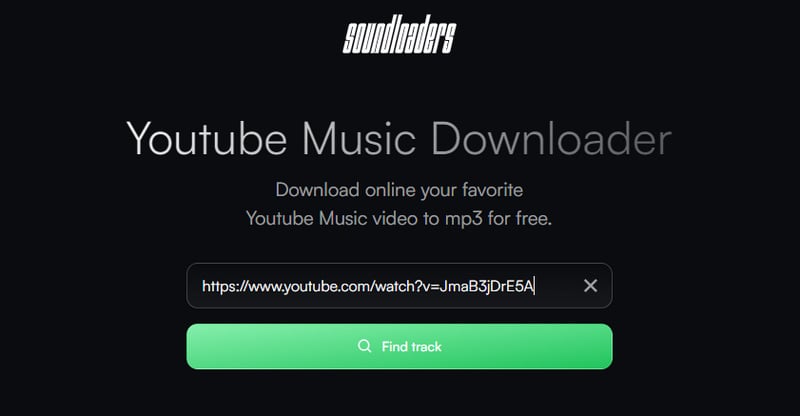
If you prefer not to install anything, Y2Mate’s web portal works directly from your browser. Paste a YouTube link, pick MP3 or M4A, and the site generates a download button. Because it runs in the cloud, you avoid storage concerns on your device. However, the free service imposes a short wait time between downloads, and occasional pop‑ups encourage you to try the premium version.
5. MediaHuman Music Converter – Cross‑Platform Consistency
MediaHuman offers a clean, minimalist UI that feels at home on both Windows and macOS. After installing, you drag and drop YouTube URLs into the main window, select your desired bitrate, and watch the conversion progress. The app also integrates with iTunes, making it easy to add tracks to your existing library. Its free version includes all core features; a donation unlocks priority updates.
Legal and Ethical Considerations
Downloading music from YouTube sits in a gray area in many jurisdictions. YouTube’s terms of service explicitly prohibit the extraction of content for offline use unless you’re using their own premium download feature. That said, many users justify personal, non‑commercial use as fair. If you’re unsure, check local copyright laws or consider supporting artists through official channels.
Beyond legality, think about the impact on creators. Some downloaders embed artist metadata, which can help with proper attribution when you later share the files. Others strip everything, leaving the track anonymous. Choosing a tool that respects metadata can be a small but meaningful gesture.
Staying Safe While Downloading
Even reputable apps can become compromised over time. Here are a few habits to protect yourself:
- Download only from official websites or trusted app stores.
- Run a quick scan with your antivirus program after installing new software.
- Avoid granting unnecessary permissions—most audio‑only downloaders don’t need access to your contacts or location.
- Keep the app updated; developers often patch security holes in newer releases.
FAQ
Q: Are free YouTube song downloader apps safe to use?
A: Many free options are safe, but the risk level varies. Stick to apps with a solid reputation, check user reviews, and run a virus scan before launching.
Q: Can I download high‑resolution audio without paying?
A: Some apps offer 320 kbps MP3 or AAC for free, but lossless formats (FLAC, WAV) are typically locked behind a premium tier.
Q: Will these apps work on iOS devices?
A: iOS has stricter sandboxing, so most full‑featured downloaders are limited to Android and desktop. However, web‑based services like Y2Mate can still be accessed via Safari, though you’ll need a file manager to store the result.
Q: Do these apps violate YouTube’s terms of service?
A: Technically, extracting audio without YouTube’s permission breaches their terms. Users should be aware of the potential consequences and consider legal alternatives for regular listening.