How to Set PHP’s Timezone to São Paulo (America/São_Paulo)
When your server lives in a different part of the world, dates and times can look odd unless you tell PHP what zone it should work in. For projects that serve Brazil’s biggest city, you’ll want the php.ini file to reflect the São Paulo timezone. Below is a step‑by‑step guide that walks you through updating the date.timezone directive, testing the change, and handling common pitfalls.
Why the Timezone Matters in PHP
PHP stores timestamps as UTC internally, but every time you format a date it converts from UTC to the zone defined by date.timezone. If that setting points to “UTC” or an unrelated region, functions like date(), DateTime::format(), and logging utilities will produce values that don’t match your users’ expectations. In a São Paulo‑focused application—think e‑commerce checkout times or event scheduling—incorrect times can lead to missed deadlines, legal ambiguities, and a shaky user experience.
Locating the Correct php.ini File
Most installations have several php.ini files: one for the CLI, one for Apache/FPM, and sometimes a custom one per virtual host. The quickest way to find the one PHP is actually using is to run:
php -i | grep "Loaded Configuration File"for the command line.- Creating a
phpinfo()page and looking for “Loaded Configuration File” if you’re on a web server.
Once you know the path, open the file with a text editor that respects UTF‑8 (most modern editors do).
Editing date.timezone in php.ini
Search for the line that starts with date.timezone. It might be commented out with a semicolon, which means PHP falls back to the system’s timezone or UTC.
;date.timezone =Replace it with the identifier for São Paulo. The official IANA name is America/Sao_Paulo—note the spelling without the tilde on “Sao”. The line should look like this:
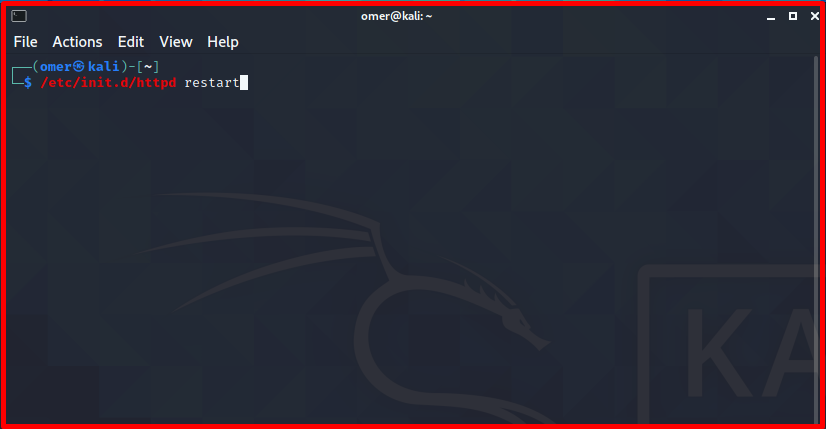
date.timezone = America/Sao_PauloSave the file and restart the relevant service (Apache, Nginx + PHP‑FPM, or the CLI process). For example:
sudo systemctl restart apache2sudo systemctl restart php8.2-fpm
Verifying the Change
After the restart, run a quick test to confirm PHP is using the new zone:
php -r 'echo date_default_timezone_get();'You should see America/Sao_Paulo. A more visual check can be done with a small script:
<?phpecho "Current time: " . date('Y-m-d H:i:s') . PHP_EOL;
?>
If the output matches the local time in São Paulo (UTC‑3, or UTC‑2 during daylight‑saving periods that Brazil used until 2019), you’re good to go.
When php.ini Isn’t Enough
Some shared‑hosting environments lock down the php.ini file, or you might need a per‑project timezone. In those cases, you can set the zone at runtime:
- Using
date_default_timezone_set('America/Sao_Paulo');at the top of your script. - Adding
php_value date.timezone America/Sao_Pauloto an.htaccessfile (Apache only). - Specifying
php_admin_value[date.timezone] = America/Sao_Pauloinside aphp-fpmpool configuration.
These overrides respect the same IANA identifier, so you won’t run into mismatched spelling issues.
Handling Daylight‑Saving Quirks
Brazil abolished daylight saving in 2019, but older PHP releases still carry historic DST rules. If you’re on an outdated version, you might notice a one‑hour shift during dates that used to observe DST. The safest approach is to keep PHP up to date—PHP 8.2 and later correctly treat America/Sao_Paulo as a fixed UTC‑3 offset.
Common Mistakes to Avoid
- Using “São Paulo” with the accent. The IANA database does not include diacritics; use
America/Sao_Pauloexactly. - Leaving the line commented. A leading semicolon disables the setting, causing PHP to fall back to the server’s default.
- Editing the wrong php.ini. Double‑check the “Loaded Configuration File” path; otherwise the change won’t take effect.
- Forgetting to restart the service. Changes only apply after a reload or restart of the PHP handler.
Best Practices for Production Environments
Store the timezone in a central configuration file that your application loads early. That way you can keep the value consistent across CLI scripts, background workers, and HTTP requests. If you run Docker containers, add ENV TZ=America/Sao_Paulo and mount a custom php.ini into the container.
Finally, log timestamps in UTC wherever possible and convert to São Paulo only when presenting data to users. This approach avoids confusion when you later add services in other regions.
Quick FAQ
What is the exact string I should put in php.ini for São Paulo?
Use date.timezone = America/Sao_Paulo. No accent marks and no trailing spaces.
Do I need to change the server’s system clock?
No. PHP’s timezone setting works independently of the OS clock. Keeping the server on UTC is actually recommended.
My hosting panel only lets me add custom php.ini directives. Will that work?
Yes. Add date.timezone = America/Sao_Paulo to the custom file and ensure the platform reads it (most panels automatically reload the PHP handler).
How can I confirm that PHP is really using the São Paulo zone after a change?
Run php -r 'echo date_default_timezone_get();' from the command line or create a small script that prints date('c'). The output’s offset should be “‑03:00” for standard time.