How to Use the Free Keywords Everywhere Chrome Extension
If you’ve ever wondered why some headlines seem to attract endless clicks while others fizzle, the answer often starts with the words you choose. Keywords Everywhere is that handy, free Chrome extension that quietly surfaces search volume, cost‑per‑click and competition data right beside your queries. In this guide we’ll walk through what the tool does, how to get it set up, and a few practical tricks to make the most of its data without breaking the bank.
What Is Keywords Everywhere?
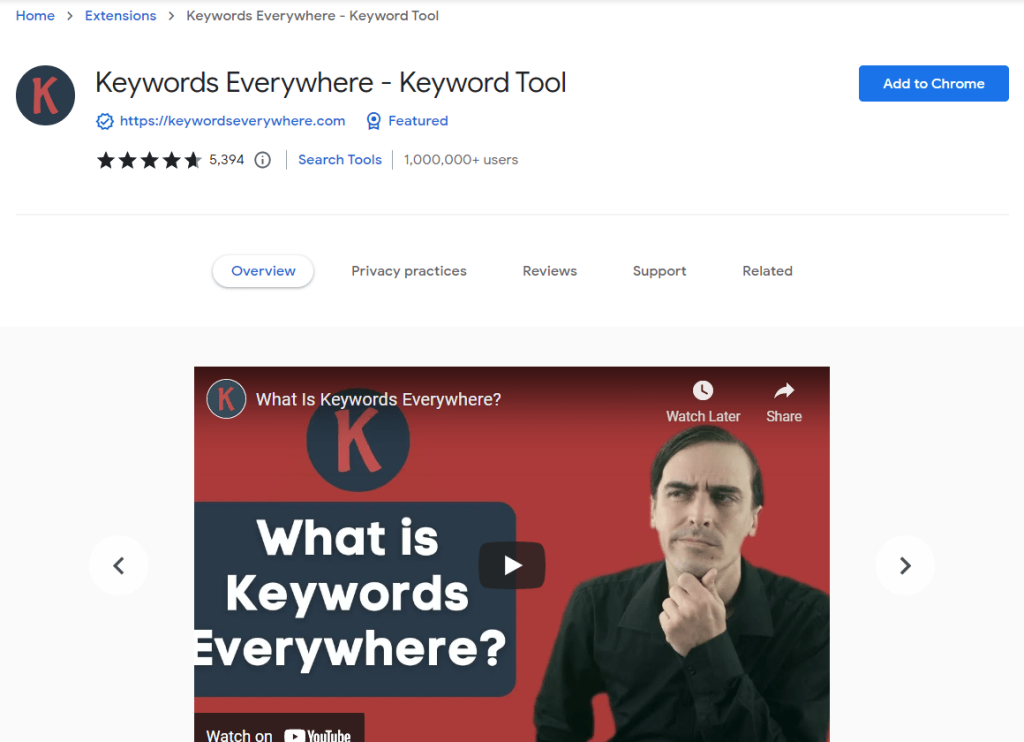
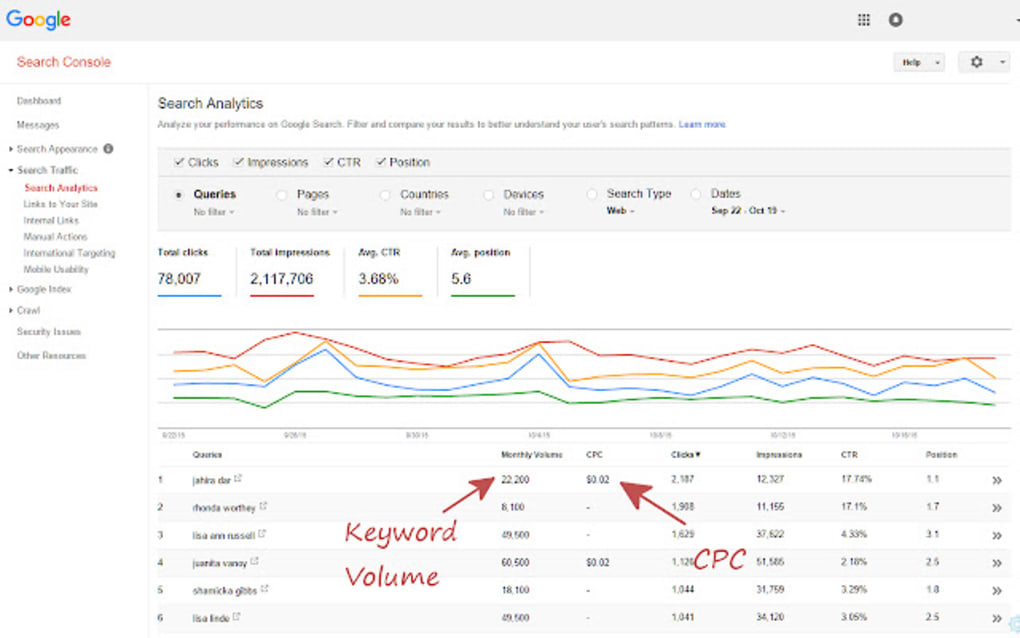
Keywords Everywhere began as a simple browser add‑on that pulls keyword metrics from several major advertising platforms and displays them in a clean overlay. Today it supports Google Search, YouTube, Amazon, eBay and even Google Trends, turning every search bar into a mini market‑research hub. The core promise is straightforward: give content creators, SEOs and advertisers instant insight into how many people are looking for a term and how competitive that term is.
While the basic data (search volume ranges, CPC and competition score) is free, the extension also offers a paid “credits” system for more precise numbers and historical trends. Most casual users find the free tier more than enough for brainstorming blog topics or checking the relevance of a product name.
Installing the Free Chrome Extension
- Open the Chrome Web Store and search for “Keywords Everywhere.”
- Click Add to Chrome and confirm the permissions request.
- After installation, a small orange icon appears next to the address bar.
- Visit the extension’s settings page, register with a valid email, and you’ll receive an API key automatically—no payment needed for the free plan.
The setup takes under two minutes, and once the key is saved the extension starts working immediately on supported sites. If you ever switch browsers, just repeat the steps; your API key works across devices.
Key Features and How They Work
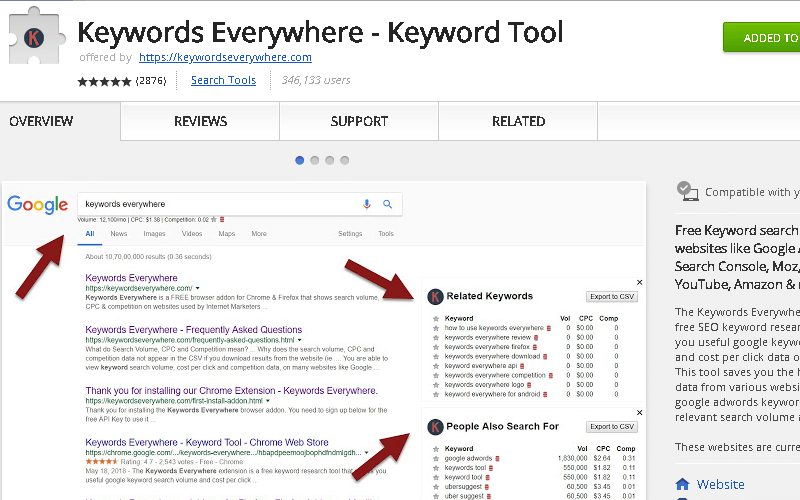
At a glance, Keywords Everywhere offers three primary data points for each keyword you type:
- Search Volume – shown as a range (e.g., 1K‑10K) to protect exact figures for free users.
- Cost‑Per‑Click (CPC) – average price advertisers pay for a click on Google Ads.
- Competition Score – a percentage indicating how many advertisers are bidding on the term.
Beyond these basics, the extension can generate related keywords, “People also search for” suggestions, and even export the list to a CSV file for later analysis. On YouTube, you’ll see estimated monthly views for a video search term, while on Amazon the data reflects product search volume.
Practical Tips for Using Keywords Everywhere
Seeing numbers is one thing; interpreting them is another. Here are a few habits that keep the data actionable:
- Prioritize relevance over volume. A niche term with 500 searches per month may convert better than a generic phrase with 20K searches but high competition.
- Combine CPC with intent. High CPC often signals commercial intent, making those keywords prime candidates for product pages or ad copy.
- Use related keywords as content clusters. Export the suggestions, group them by theme, and create a series of posts that collectively target a broader search intent.
- Check multiple platforms. A keyword might have modest Google volume but explode on YouTube or Amazon; tailoring content to the platform where interest is strongest can boost visibility.
Remember that the free version only provides volume ranges, so treat the numbers as a ballpark estimate. When you need exact figures for a high‑stakes campaign, consider buying a small credit pack to unlock precise data.
Privacy and Data Concerns
Because Keywords Everywhere relies on an API key, the extension sends the keywords you search to its servers for processing. The company states that it does not store personal identifiers beyond the key itself and that all data is used solely to generate the metrics you see. If you’re handling sensitive client projects, you may want to clear your browsing history regularly or use an incognito window, which still allows the extension to function as long as the key is entered.
For the privacy‑conscious, an alternative is to run a local keyword research tool that doesn’t transmit data, though those options often lack the seamless browser integration that makes Keywords Everywhere so convenient.
Alternatives Worth Checking
No single tool fits every workflow, so it’s useful to know what else is out there:
- Ubersuggest – offers a free Chrome extension with similar metrics plus content ideas, but its free quota is lower for search volume.
- Keyword Surfer – displays exact volume numbers for free, though it lacks CPC and competition data.
- Ahrefs’ SEO Toolbar – a premium add‑on that provides comprehensive backlink and SERP analysis, best for users already subscribed to Ahrefs.
Each alternative has its own trade‑offs in terms of accuracy, feature set and cost, so testing a couple of them alongside Keywords Everywhere can help you settle on the best fit for your projects.
Frequently Asked Questions
Is Keywords Everywhere really free?
Yes, the extension offers a free tier that includes search volume ranges, CPC and competition scores. Precise numbers and historical data require purchasing credits.
Can I use Keywords Everywhere on browsers other than Chrome?
A Firefox version exists, and the same API key works across both browsers. However, the feature set is identical, so there’s no advantage to switching solely for more data.
How often is the keyword data updated?
The service pulls refreshed metrics from Google Ads and other partner platforms on a regular basis, typically every few days. Exact update frequency isn’t public, but most users notice changes within a week of major search trend shifts.