Socat Serial Port Examples on Linux: A Practical Guide
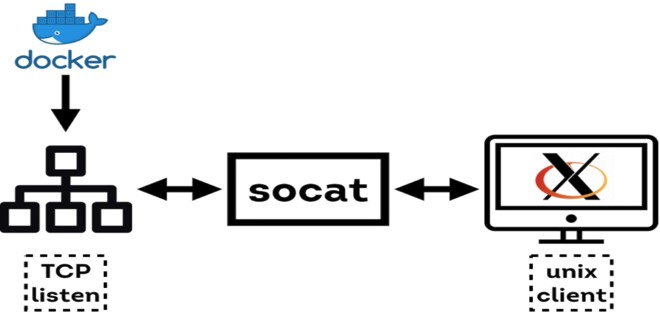
Socat, short for “SOcket CAT,” is a versatile utility that can connect two data streams, whether they’re files, pipes, sockets, or serial ports. In this guide we’ll walk through a collection of Socat Serial Port Examples On Linux that show how to set up, troubleshoot, and harness serial communication in a variety of real‑world scenarios.
What Is Socat and Why It Matters for Serial Communication
Serial ports are the backbone of many embedded systems, industrial controllers, and legacy equipment. Socat translates the raw data coming from a serial line into a stream that can be redirected, logged, or forwarded across the network. Unlike traditional serial tools that handle only one direction, Socat supports bidirectional tunneling, making it ideal for full‑duplex debugging or remote device management.
Getting Started: Installing and Checking Socat
Most Linux distributions ship Socat in their package repositories. On Debian‑based systems simply run sudo apt-get install socat; on RHEL or Fedora, use sudo dnf install socat. After installation, verify that you can list available serial devices by running ls -l /dev/tty*. If you’re using a USB‑to‑serial adapter, the device will typically appear as /dev/ttyUSB0 or /dev/ttyACM0.
Socat Serial Port Examples
Connecting a USB Serial Adapter
Suppose you have a simple microcontroller connected via a USB‑to‑serial adapter and you want to interact with it from the terminal. The following command opens a raw serial connection at 115200 baud, 8 data bits, no parity, and one stop bit:
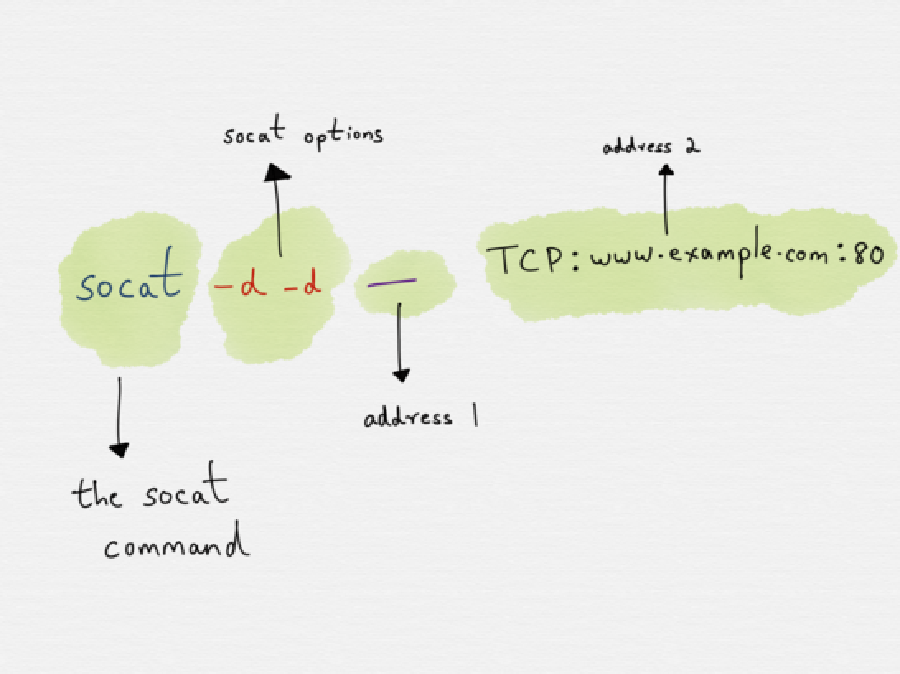
socat -d -d PTY,link=/dev/ttyS99,raw,echo=0,crnl b0,115200,raw,echo=0,crnl
Here, PTY creates a pseudo‑terminal that you can treat like a physical serial device. The link option names the new device /dev/ttyS99, which you can then access with a serial terminal program such as minicom or screen.
Transferring Data to a Remote Host
One common use case is forwarding the serial output of a device to a remote server for logging or monitoring. Assuming the remote server has SSH access, you can pipe data from a local serial port to a remote host via Socat:
socat -d -d FILE:/dev/ttyUSB0,b115200,raw,echo=0,crnl TCP:remote.example.com:1234
On the remote side, a matching Socat instance listens on port 1234 and writes the data to a file:
ssh user@remote.example.com "socat -d -d TCP-LISTEN:1234,reuseaddr,fork FILE:/var/log/serial.log"
With this arrangement, every byte that reaches the local serial port ends up neatly timestamped in the log on the remote machine.
Advanced Usage: Bridging Serial Devices
Creating a Virtual Serial Port Pair
When debugging two devices that need to talk to each other, you can simulate a physical connection using a pair of linked virtual serial ports:
socat -d -d PTY,link=/dev/ttyV0,raw,echo=0,crnl PTY,link=/dev/ttyV1,raw,echo=0,crnl
Now, any program writing to /dev/ttyV0 will see its output appear on /dev/ttyV1, and vice versa. This is especially handy when you only have one physical port but need to test bi‑directional communication between two software instances.
Redirecting Serial Output to a File
For long‑term diagnostics, capturing serial traffic is essential. Socat can write to a file while also streaming the data to a terminal for live inspection:
socat -d -d FILE:/dev/ttyUSB0,raw,echo=0,crnl STDOUT | tee /var/log/serial_capture.log
Here, the tee command duplicates the stream to both the console and the log file. If you want to include timestamps, pipe the output through awk or ts from the moreutils package before writing to the log.
Real‑World Scenarios
Debugging Embedded Devices
Embedded developers often attach a serial console to a board’s UART to monitor boot logs or issue commands. Using Socat, you can forward that console to a remote debugging server:
socat -d -d PTY,link=/dev/ttyUSB0,raw,echo=0,crnl TCP:debugger.local:4444
The remote debugger can then use any TCP client—Telnet, netcat, or a custom GUI—to read the console stream.
Streaming Sensor Data to a Dashboard
Consider a sensor node that outputs JSON over UART. Instead of writing a custom collector, simply pipe the data into a lightweight HTTP server that forwards it to a dashboard:
socat -d -d TCP-LISTEN:5000,reuseaddr,fork FILE:/dev/ttyUSB0,raw,echo=0,crnl | while read line; do echo "$line" | curl -s -X POST -H "Content-Type: application/json" -d @- http://dashboard.local/api/sensor; done
This single line captures every message, transforms it into a HTTP POST, and sends it to the monitoring platform.
Common Pitfalls and Troubleshooting Tips
Permission Issues
Linux restricts access to serial devices to users in the dialout group. If you receive “Permission denied” errors, add yourself to the group with sudo usermod -a -G dialout $USER and then log out and back in.