Why 408 Request Timeout Happens and How to Fix It
Ever stared at a blank browser screen and seen “408 Request Timeout” staring back? Decoding the 408 error means understanding why a server stopped waiting for a request and what you can do before it happens again. Below we break down the typical causes, walk through practical fixes, and outline steps you can take to keep your sites humming.
What Triggers a 408 Request Timeout?
The HTTP 408 status code signals that the client failed to send a complete request within the server’s allotted time. It isn’t a “server error” in the classic sense; rather, the server gave up waiting for the client’s data.
- Network latency spikes. Poor connections, especially on mobile networks, can delay packet delivery long enough for the timeout window to close.
- Large payloads. Uploading big files or submitting massive POST bodies may exceed the server’s default timeout limit.
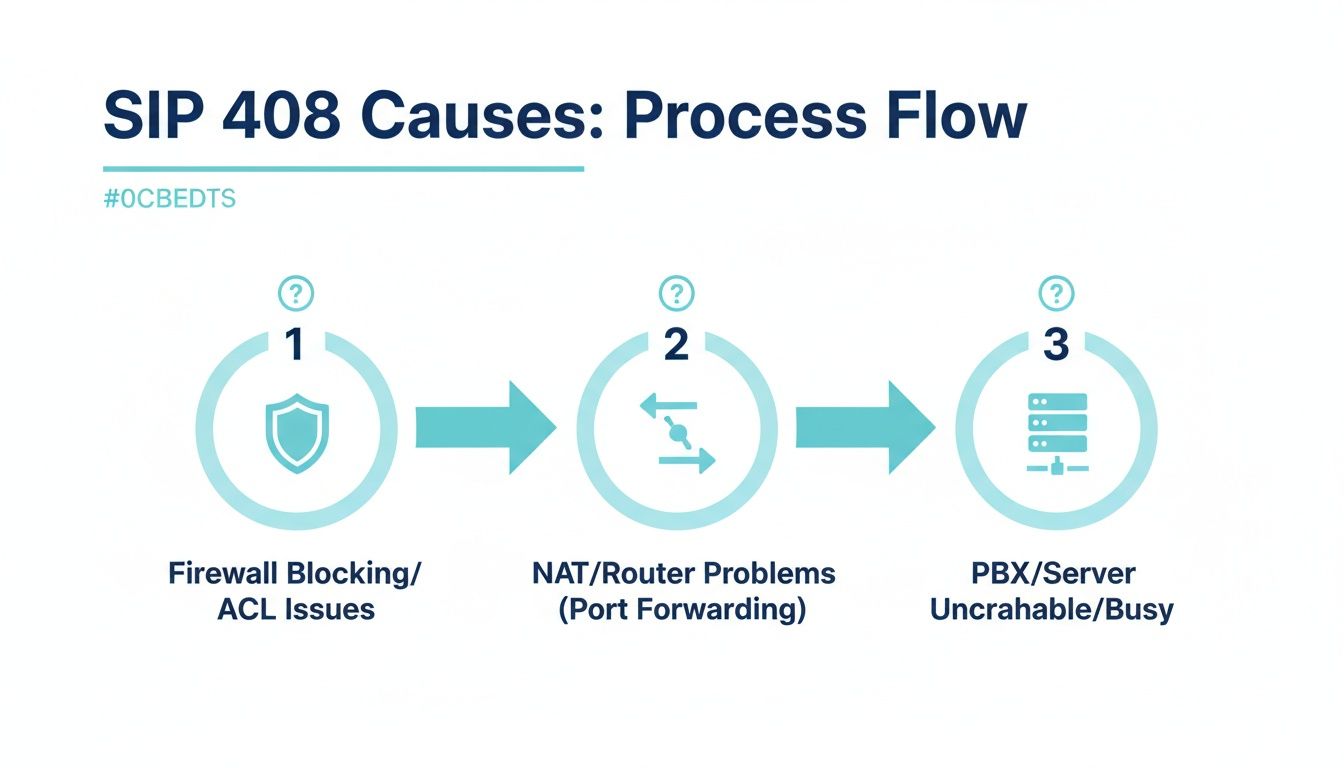
- Misconfigured firewalls or proxies. Intermediate devices sometimes drop idle connections, causing the server to think the request stalled.
- Server-side timeout settings. Many web servers default to 60 seconds; if your application routinely needs more time, the server will return a 408 before the operation finishes.
- Client-side scripting delays. JavaScript that pauses before sending a request—perhaps waiting for a user action—can unintentionally trigger the timeout.
In practice, a combination of these factors often leads to the error, especially during peak traffic or when resources are stretched thin.
How to Resolve a 408 Error Quickly
When a 408 pops up, the first step is to identify whether the problem lives on the client or the server side. Here are some immediate actions you can take.
Check the Network Connection
Run a simple ping or traceroute to the target domain. If latency is unusually high, try a different network (for example, switch from Wi‑Fi to wired Ethernet) to see if the timeout disappears.
Inspect Browser Developer Tools
Open the Network tab, reload the page, and look for the request that returned 408. Note the request method, headers, and payload size. If the payload is huge, consider compressing it or splitting it into smaller chunks.
Adjust Client Timeout Settings
Many HTTP libraries let you raise the timeout threshold. In JavaScript’s fetch API you can use an AbortController to set a custom timeout, while in cURL you’d add --max-time to extend the limit.
Server Configuration Tweaks
If you control the server, locate the timeout directive. For Apache, Timeout sets the limit; for Nginx, it’s proxy_read_timeout and client_body_timeout. Raising these values by 30–60 seconds can often eliminate false 408s during long operations.
Review Proxy and Firewall Rules
Make sure any reverse proxy (like Cloudflare or an HAProxy instance) isn’t cutting connections prematurely. Look for idle‑connection timeouts and increase them if necessary.
After applying the relevant fix, retry the request. If the error persists, move on to more systematic prevention steps.
Preventing Future 408 Timeouts
Proactive measures are the most reliable way to keep 408s at bay. Below are best‑practice strategies for developers, sysadmins, and even end users.
- Implement Asynchronous Processing. For tasks that take longer than a few seconds—such as video transcoding—accept the request, queue the job, and respond with a status URL. The client can poll that URL instead of waiting for the server to finish.
- Use Content Compression. Enable gzip or Brotli on the server to shrink payloads. Smaller bodies travel faster, reducing the chance of a timeout.
- Set Reasonable Timeout Values. Balance user experience with resource constraints. A common sweet spot is 30 seconds for API calls and 60 seconds for page loads.
- Monitor Latency and Errors. Tools like New Relic, Datadog, or open‑source Prometheus can alert you when average request times creep toward the timeout threshold.
- Graceful Degradation. If a request is likely to exceed limits, provide a fallback—such as a lower‑resolution image or a partial data set—so the client still receives something useful.
By designing your architecture with these safeguards, you’ll reduce the frequency of 408 responses and improve overall reliability.
Frequently Asked Questions
Is a 408 error the same as a 504 Gateway Timeout?
No. A 408 means the client didn’t finish sending the request in time, whereas a 504 indicates that a server acting as a gateway didn’t receive a timely response from an upstream server.
Can I ignore 408 errors on my website?
Occasionally, a single 408 might be harmless, but recurring occurrences suggest a deeper issue—like network instability or misconfigured timeout settings—that should be addressed.
Do CDNs eliminate 408 errors?
CDNs can mask some latency problems by caching content closer to users, but they won’t prevent a timeout if the origin server still rejects slow‑coming requests.
What HTTP header can I use to extend the client’s timeout?
There’s no standard header that forces the server to wait longer. However, some APIs honor a custom X-Timeout header, so check the documentation of the service you’re calling.